
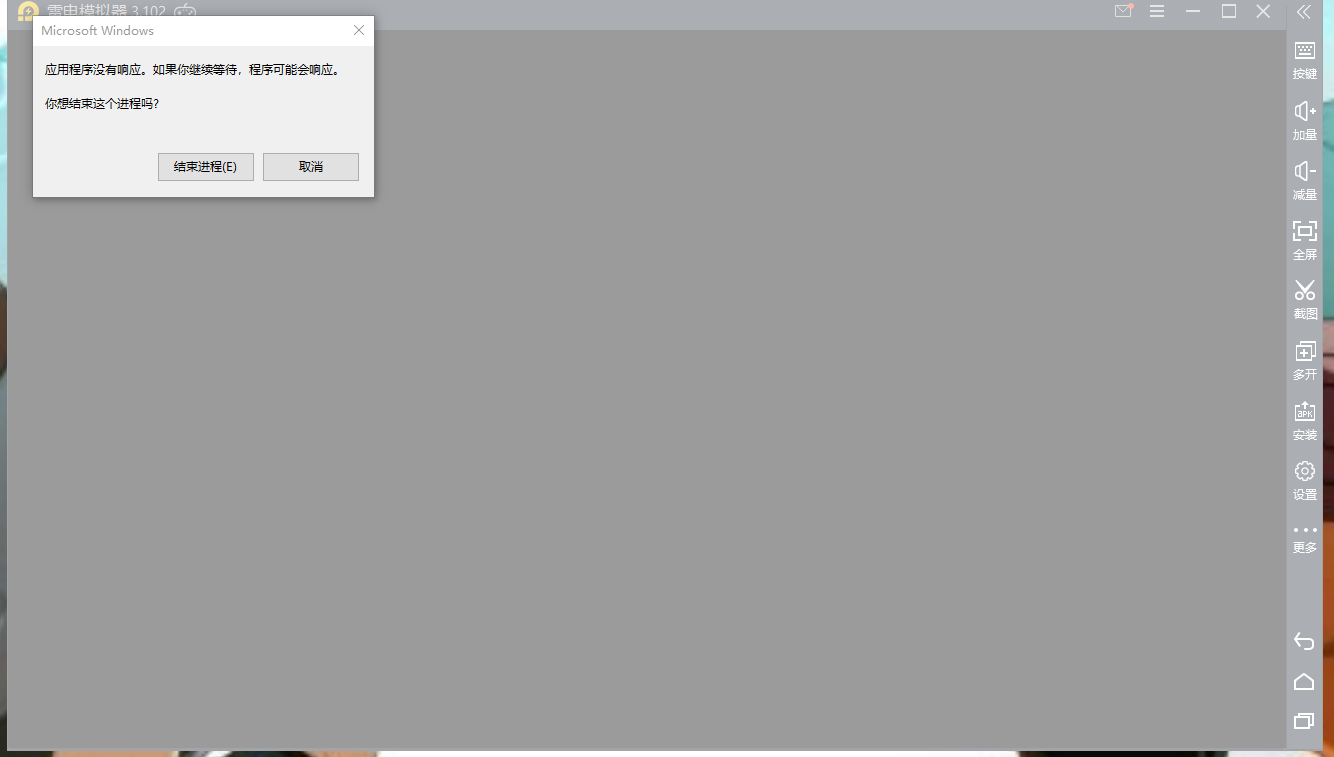
模拟器总是异常崩溃

发表于:2020-10-06


评论(4)
  • tmkkywhxryp

    2020-10-06

    操作系统:Microsoft Windows 10 64位
    CPU型号:Intel(R) Core(TM) i5-3470 CPU @ 3.20GHz
    总内存:15.9 GB
    可用内存:13.4 GB
    显卡型号:AMD Radeon HD 6450 (20150803)
    OpenGL:4.5.13399 Compatibility Profile Context 15.200.1062.1004
    IE版本:11.0
    模拟器版本:3.102.0(32)
    模拟器路径:D:\ChangZhi\dnplayer2
    日志路径:C:\Users\Administrator\AppData\Roaming\ChangZhi2\log
    vt:开启
    运行参数:CPU(4核) 内存:(4096M) 正在运行(1) 高速(1)
    分辨率:1280x720 dpi 240 fps 60
    Not start

    点赞(0) 回复
    • 举报
  • 雷电-豆芽妹

    2020-10-06

    更新显卡驱动 

    i5 3代的cpu有点老了 显卡也有好几个年头了

    http://www.ldmnq.com/bbs/thread-9-1-1.html
    如何升级电脑显卡驱动?

    • 安装错误: 错误182 - Radeon Software 安装在系统配件中检测到不受此软件安装支持的AMD图形硬件
      2020-10-06 回复
    • Error 182 – Radeon Software Install Detected AMD Graphics Hardware in Your System Configuration That Is Not Supported With This Software Installation Share this page Article Number GPU-KB182 The content of this article is organized into the following sections: Possible Cause Solution Possible Cause The Radeon™ Software package contains generic drivers that supports a wide range of AMD Radeon™ Graphics products. A possible reason why the Radeon™ Software Installer failed to identify your graphics hardware is because it belongs in one of these unsupported product groups: Embedded AMD Radeon graphics Legacy AMD Radeon graphics Customized AMD Radeon graphics for an Original Equipment Manufacturer (OEM) system BACK TO TOP Solution Embedded AMD Radeon graphics: Please visit the AMD Driver and Support page and choose Embedded from the Product Selector to locate and download the appropriate driver. If you do not know the model of your AMD Radeon™ Graphics product, please refer KB article: How to Identify the Manufacturer and Model of an AMD Graphics Card before using the Product Selector. Legacy AMD Radeon graphics: The Radeon Software Installer is designed to support graphics cards based on GCN and later architectures. The following AMD Radeon graphics series are based on an older architecture and are not supported by this driver package: AMD Radeon™ R5 235X AMD Radeon™ HD 8350 Series AMD Radeon™ R5 235 AMD Radeon™ HD 8000 (D/G variants) AMD Radeon™ R5 230 AMD Radeon™ HD 7600 Series & below AMD Radeon™ R5 220 AMD Radeon™ HD 6000 Series AMD Radeon™ HD 8470 AMD Radeon™ HD 5000 Series These products have been moved to a legacy support model and no additional driver releases are planned. The final Beta driver for these products was AMD Radeon Software Crimson Edition 16.2.1 and the final WHQL driver was AMD Catalyst Software Suite 15.7.1. Both driver versions for supported Operating Systems can be downloaded from the links below: AMD Radeon Software Crimson Edition 16.2.1 Beta for Windows 10, Windows 8.1 and Windows 7 (32 & 64-Bit) AMD Catalyst™ 15.7.1 Driver for Windows 10, Windows 8.1 and Windows 7 (32 & 64-Bit) If you have one of the APUs listed below and are running Windows® 10, graphics driver support is only available directly from Microsoft® via Windows Update. AMD A4/A6/A8-3000 Series APUs AMD E1/E2-1000 Series APUs AMD E2-3200 APU AMD E-200/300/400 Series APUs AMD E2-3000M APU AMD C-Series APUs AMD E2-2000 APU AMD Z-Series APUs Please run Windows Update and allow it to detect, download and install the appropriate driver for your APU. For information on how to use Windows Update please refer to Microsoft article: Windows Update: FAQ AMD Radeon™ HD 4000, HD 3000, HD 2000 Series and Older Graphics Products Driver support for these products under Windows® 10 is only available via Windows Update. Please enable Windows Update to allow it to automatically detect and install display driver version 8.970.100.9001. For information on how to use Windows Update please refer to Microsoft article: Windows Update: FAQ Customized AMD Radeon™ Graphics: We recommend obtaining the latest driver from the OEM System Builder or Partner Manufacturer. For a list of OEMs and Partner Manufacturers, please see AMD Partners: Add-in-Board, Original Equipment & System Builder Configurations If you are still unable to resolve Error 182 after completing the steps outlined above and need further assistance, please contact AMD Customer Care and attach the AMD Installer log file to your service request. The AMD Installer log file is located in C:\Program Files\AMD\CIM\Log\Install.log​ IMPORTANT! Follow the steps below when raising a service request for this issue: To raise an e-ticket, visit: https://www.amd.com/en/support/contact-email-form. Enter "Error 182" (without quotes) in the Subject field Provide as much detail as possible about your issue in the Description field Attach the AMD Installer log file to the service request and click Submit BACK TO TOP Footer menu Our Company Newsroom Careers Investors Contact Us
      2020-10-06 回复
    • 你下载的显卡驱动不支持当前显卡的意思,就是装不了
      2020-10-07 回复
    点赞(0) 回复
    • 举报
  • 雷电-豆芽妹

    2020-10-06

    显卡更新后,发诊断信息看下

    点赞(0) 回复
    • 举报
  • 雷电-鲤鱼

    2020-10-07

    配置是有点老……

    这种报错一般是程序冲突了的,你现在电脑上除了模拟器还开了什么的

    如果是只开模拟器也出报错的话,建议是重装一下电脑系统的了

    点赞(0) 回复
    • 举报